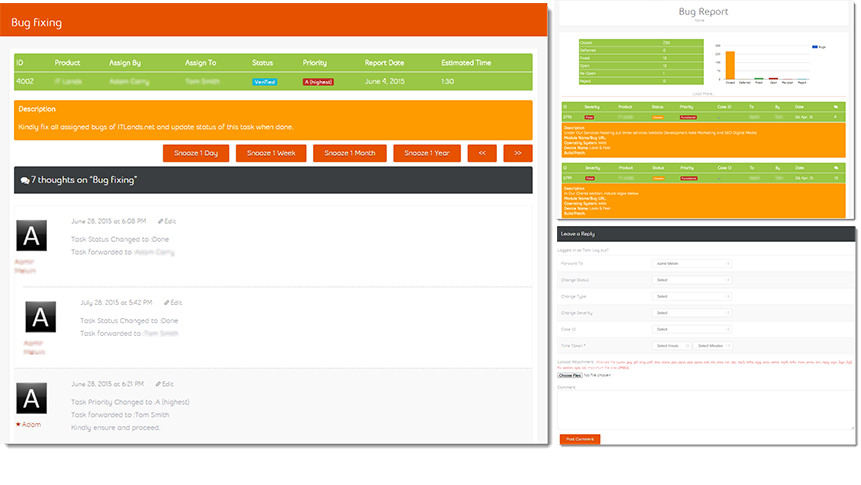
 Bugs management system displays the list of assigned bugs to specific person. All the correspondences against each bug display as thread. Snooze this bug for specific period is also available for your convenience.
.png) If you want to register your bug for fixes you can hit Add New bug. This will asks you all required information regarding the issue you are facing and send to fixer’s panel for fixes.
If you want to register your bug for fixes you can hit Add New bug. This will asks you all required information regarding the issue you are facing and send to fixer’s panel for fixes.
You can also filter your bug list by using change filter option.
.png)
You can also generate the bug reports of your choice with few clicks on change filter items.
.png)
Each person can view status of own bugs in graphical bars.
.png)
In bug report you can also analyze the severities of bugs. It shows the number of all the bugs according to the severity such as fatal, major, minor and suggestions.
.png)
We know how important is bug priority for your organization so you don’t need to worry about it, we have handled it very smartly, you just need to add bug and bugs management system will automatically prioritize it and send to fixers for fixes.
FYI : all the bugs will be sequenced in following way:
1- Fatal;
a. Functional,
b. Business Logic,
c. Look & Feel.
2- Major;
a. Functional,
b. Business logic,
c. Look & Feel.
3- Minor;
a. Functional,
b. Business logic,
c. Look & Feel.
4- Suggestion;
a. Functional,
b. Business logic,
c. Look & Feel.
.png)
With this beautyful graphical report you can review bugs that how many bugs are closed, deferred, fixed, and open, re-open and rejected.
.png)
It just shows the number of particular bugs in a graphical view.